
Skip to content
Tracks and ages
Robotics
4–18
AI Coding
7–18
3D Design
7–18
Competition Training
From 8
University Portfolio
After 16

The Model

Five Habits Of Mind
One Project‑Based Core

Start with the method.

STEAM is not five subjects taught in rotation. It is five ways of thinking, anchored on computational thinking and built through three tracks that all run on the same engine: project-based learning that starts from a real problem. Pick any part of the model to see how it connects.

Select a habit or a track · Arrow keys move

Science Habit 1 Of 5

Think Like A Scientist

Ask a question, commit to a prediction, then test it. The result decides what happens next, not the loudest guess in the room.

Built in AI Coding Robotics

The Belief

Thinking First
Technology Always

Tools change every few years.

The way a child breaks down a hard problem does not. One curriculum, ages 4 to 18, taught the same way at every campus: STEAM education that puts project-based learning to work through robotics, coding and 3D design, so children grow the habit of solving problems rather than a familiarity with this year's tools.

We Do Not Teach Children To Follow Technology
We Teach Them To Create With It

Technology changes. The ability to think, question, build and improve lasts.

The Chain Under Every TrackThinkDesignBuildTestImprove

Each track has its own project arc. Underneath all three run the same five verbs, in the same order, in every lesson and every season.

What We Value

  • Continuous Improvement

    Every version of the work gets a better one.

  • Lifelong Learning

    Curiosity that keeps going after the lesson ends.

  • Problem Solving

    Start from the problem, reason to the answer.

  • Embrace Change

    New tools are an invitation, not a threat.

  • Theory & Practice

    Understand the idea, then build it for real.

Every Lesson Ends With Something Real
Built By Them And It Works

Learning happens when students build, test, improve and try again.

Every project begins with a real challenge, not a worksheet; along the way, children find the confidence to think for themselves and to make solutions that work.

The Widening Circle

One Habit
A Widening Circle

Here is the method's engine, one ring wider at a time.

Every great problem solver starts close to home; as children grow, the problems get bigger, but the habit stays the same: observe, think, create and improve.

Ring 1 Of 3

Select a ring · Arrow keys move

Age 4+ Our Family

Small, tangible problems.

The first problems a child solves are the ones they can touch: a tower that keeps falling, a drawer that sticks. Small, tangible problems teach the habit everything else is built on: notice, try, fix, try again.

The Science

Three Questions Behind Every Lesson
How High How It Runs How Deep

The method opens three doors onto one spine; what follows is the planning science that keeps every track honest.

How high a single lesson climbs, how that lesson is run, and how deep an idea goes over the years.

Six Levels Of Thinking

The first question is answered by Bloom's revised taxonomy: six levels of thinking, each harder than the last. A lesson that stops at recall has done a sixth of the job.

Select a level · Arrow keys move

CreateEvaluateAnalyseApplyUnderstandRemember
Height In One Lesson BloomOriginationProducing something newApplicationUsing it and questioning itFoundationsKnowing the material

Level 3 Of 6 Application

Apply

Use information in new situations

execute · implement · solve · use · demonstrate · interpret · operate · sketch

In An OpenKids Class

Reuse yesterday's loop to get through a maze they have never seen before.

Next: Analyse

The Ladder From Spark To Capstone

The AI syllabus tags every lesson with a level from L0 to L5. Read the right-hand column and it is Bloom's pyramid: how high a lesson climbs is planned lesson by lesson, not left to chance.

Inside the AI syllabus, in The Three Tracks
  1. SparkExperience
  2. FoundationsUnderstand Imitate
  3. CoreApply
  4. AppliedApply Analyse
  5. EngineeringAnalyse Evaluate
  6. CapstoneCreate
  7. ShowcaseSynthesis
All of the above is method.

What follows is what it leaves in a child's hands.

Bloom's revised taxonomy (Anderson & Krathwohl, 2001), verb sets after the Vanderbilt University Center for Teaching; spiral curriculum after Jerome S. Bruner; the seven project elements and seven teaching practices after the Gold Standard PBL model (PBLWorks).

Competition Training

Where Learning
Meets The World

Competition is where the curriculum meets a standard we did not set.

Students who are ready take what they build in class to national and international events, present it to independent judges, learn from stronger teams and come back knowing exactly what to improve.

Our Students Compete On The World's Top Technology Stages

EntryFrom Age 8 By Readiness

From age 8, a student joins competition training when their work is ready to face an outside judge. Training runs in seasons, alongside the weekly class.

  • A mentor and a young coder going through the work on a screen together

    How Teams Train Team Strategy

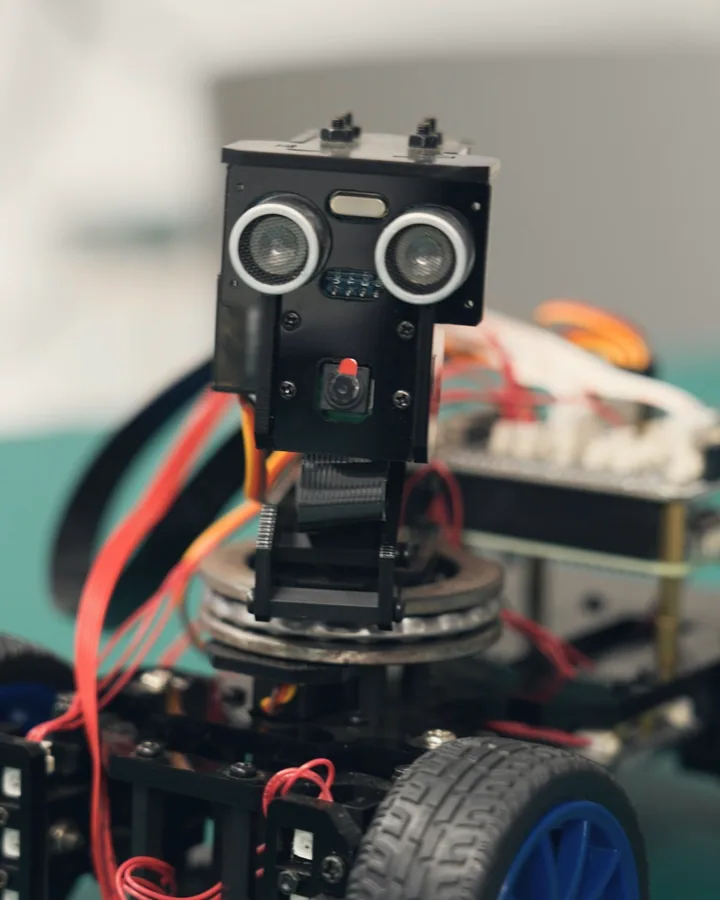
  • A small robot car with an ultrasonic sensor up close

    Robotics Robotics Tournaments

  • Is My Child Ready

    • They can lose a game and want to play again: the master signal
    • They finish small things; competitions punish work that is ninety per cent done
    • Feedback lands as information, not injury
    • The wanting is theirs: they ask about it, not just answer about it
    • Nerves, yes; dread, no

    The order matters. Skill can be trained after entering; resilience must exist before. A technically ready child pushed in emotionally early learns exactly one lesson: never again.

  • Building Readiness Gently

    • In-house challenges first: low stakes, familiar faces, short feedback loops
    • Watch one event as a spectator before entering one
    • Debrief with questions, not verdicts: what surprised you, what would you try next

    The Goal Of A First Competition Is Wanting A Second One

  • How Competition Training Works

    From structural basics to advanced engineering: one path, climbed rung by rung, not four separate classes.

    Before the first rung: the Robotics track from age 4, and a free trial class for any beginner.

    1. Mechanics Without Instructions

      A blank-page brief: build a mechanism that does the job, with no instructions to copy. The child has to work out why every part is there, and learns to question a design rather than follow one.

    2. From Plastic To Metal

      Snap-together systems give way to metal builds. Sensors, autonomous routines and the languages machines speak (Python and C++) turn abstract logic into motion. Usually alongside the Engineers level of the Robotics track.

    3. The Season

      A team runs like a small company: roles, a plan, a budget of time, data from every run, a practice field and a pitch to judges. The roles rotate, builder, coder, driver, scout, before anyone specialises. Usually alongside the Competitors level.

    4. Research Beyond The Arena

      Where competition ends, innovation begins: computer vision and AI experiments, and automation prototypes built around real engineering problems, past any rulebook. It becomes a portfolio of research prototypes.

      The research project after 16
    5. Through The University Years

      Competition training runs to age 24. After 16 the work moves into the research project and on into the university years.

    What Students Prepare For
    • Robotics

      Robotics Tournaments

      Autonomous machines built to a fixed brief: designed, tested and defended in front of judges, from national stages to international finals.

    • Informatics

      Coding Olympiads

      Competitive programming: algorithms, data structures and problem-solving against the clock.

    • Science

      Science & Engineering Fairs

      Original research presented to real judging panels. What makes it research rather than a demonstration: a question that can fail, a method a stranger could repeat, and honest limitations.

    • Design

      Innovation & Design Challenges

      Invention, 3D design and creative-technology challenges, including art and technology creative competitions, where original ideas are built, defended and judged.

    • Build Sprints

      Hackathons

      Real briefs, fixed clocks and working prototypes, then a pitch to people who have never seen the idea before.

    • Pitch

      Entrepreneurship Camps

      Technology entrepreneurship camps: from a working prototype to a pitch that holds up in a room of strangers.

    • Robotics Tournaments
    • Coding Olympiads
    • Science & Engineering Fairs
    • Innovation & Design Challenges
    • Hackathons
    • Entrepreneurship Camps
    How Teams Train
    • Team Strategy

      Roles, a plan and a shared strategy, agreed before the first run.

    • Match Analysis

      Every run is reviewed: what happened, why, and what changes next.

    • A Design Log

      Every decision written down, so the build can be explained and defended to a judge.

    • Driven And Autonomous Runs

      Machines are practised both under a driver's control and running on their own code.

    • The Practice Field

      The classroom becomes the arena before any event: a field, a clock and a debrief. Strategies are tried, timed and discarded until one survives.

    • Judged Presentation

      Students rehearse explaining their work to a panel and answering its questions.

    • Progress You Can See

      Progress is measured by skill, not by age: what counts is the quality of the code and the integrity of the build, and the design log records both.

    A Season In Four Steps

    01/04

    Team And Plan

    Placement, team formation and a season plan that fits the child's wider pathway.

    Teachers advise, students decide. The record follows the process, never the other way round.

    The Design Log's Five Marks
    • DatedA page within a week of every event: what broke, what changed.
    • Written WarmDecisions recorded the day they are made, not reconstructed later.
    • SharedBuilders record design decisions, coders what changed and why, drivers and scouts the match data and strategy calls; one editor keeps it whole.
    • In Their Own HandThe student's record of problems met and solved, never an adult's.
    • Judge-ReadyJudges interview from it, so it must explain the build to someone who has never seen it.
  • One Discipline Not Four

    A good engineer is a polymath. Training fuses four strands into one discipline, which is why the rungs run mechanics, then code, then strategy, and why every team mixes builders, coders and strategists.

    • Mechanics

      Structures, drivetrains and gears: what moves, and why.

    • Electronics

      Motors, sensors and wiring: what the machine senses and drives.

    • Code

      Driver control and autonomous routines: what the machine decides.

    • Strategy

      The brief, the plan and the data from every run: what the team decides.

    Fed by all three tracks: Robotics, AI Coding and 3D Design.

  • First Principles Before Instructions

    We teach the physics of why, not a list of steps. Before a student touches a gear, they understand torque and friction; before they write a line of code, they understand logic.

    Engineering Conundrums

    Real engineering has no answer key, so training is built around open trade-offs: decisions made under uncertainty, with a brief instead of a right answer. Tilt each balance and read what each side costs.

    Select a balance · Arrow keys move

    • SpeedTorque

      A faster gear ratio: quick across the field, weak at the push.

      More torque: it climbs and shoves, and arrives last.

    • AutonomousDriver

      Code that runs itself: consistent, and blind to surprises.

      A driver who adapts: flexible, and only as calm as the hands on the controls.

    • LightStrong

      Light: quick to move and quick to fix, until something bends.

      Strong: it survives the collision, and carries the weight everywhere.

    • More SensorsSimpler Code

      More sensors: the machine sees more, and there is more to fail.

      Simpler code: easy to debug, and blind where a sensor would have helped.

    • RebuildRefine

      Rebuild: a cleaner design, and a week without a working robot.

      Refine: it keeps running, and the old compromise stays inside it.

    • Specialist RolesEveryone Builds

      Specialists: fast and deep, until the one who knows is away.

      Everyone builds: slower now, and nobody is irreplaceable later.

    No Right Answer Only The Brief

  • What A Season Builds

    • ResilienceFailure is treated as data: the run that goes wrong is often the most useful thing that happens all day.
    • PrecisionEvery millisecond and every millimetre. Whether in the classroom or the arena, the feedback is instant and impersonal: the robot does not care who built it.
    • AmbitionProblems that have no answer yet. The capacity to solve unsolved problems is the point of every season.
    Competition Day For Parents

    Expect a sports hall of teams, matches on a schedule and a pit area where the real drama happens: last-minute repairs, battery swaps, code changes between rounds. Robots break constantly, at every level, and recovery is the skill being tested.

    Parents help with logistics, food and filming; teams learn more from footage than from memory. Calling instructions from the stands hurts, and so do post-mortems in the car: let the team own the review.

    Judges do not only watch the field. They also read the design log, interview the team and score the design process, which is why a team in the middle of the table can leave with the day's most respected result. For a first event, a robot that moved in every match is a genuinely good day.

    Afterwards, ask not 'Did you win?' but 'What broke, and what did you do about it?' Within a week, the answer goes into the design log as a dated page, and the team picks one thing to rebuild before the next event.

The Pathway

One Spiral Journey
Ages 4–18

Here is the method laid out age by age.

Pick an age band to see what your child works on across all five STEAM strands. Every stage stands on the one before it, and the course tracks carry the same strands on to 18.

Before six or seven, the whole lesson is hands-on building and early programming: strands shown faded have not begun at that age.

Where each track beginsRobotics from 4AI Coding from 73D Design from 7

The Five Stages
  1. University PortfolioAfter 16The research project after 16 →

Level names, Robotics · AI Coding · 3D Design

Select an age band · Arrow keys move

Stage 2 Of 5 BuildAges 7–8Making something with it, then analysing and solving

At 7 to 8 they learn the building blocks of coding, draw a flow chart before they code, wire a first circuit, measure with shapes, and work as a team.

The five strands at this age

Science
Building Blocks Of Coding
Technology
Flow Charts
Engineering
Electronics
Arts
Teamwork
Mathematics
Measurement & Shapes

The Three Tracks

Three Ways In
One Curriculum

The pathway is one spine; these are the three doors into it.

They look different from the outside: hardware, code, form. The spine underneath is the same, the same philosophy, the same progression, the same experience wherever your child begins, so a child can move between them without starting over.

Compare The Three Tracks

Ages
7–18
First Lessons
Block coding and playful logic
The Work
Games, apps and applied AI projects
Leads To
Coding challenges and olympiad-style competitions

The tracks run to 18, and from 16 the research project runs beside them, set out in After 16.

Which Track First

Start with what your child already loves. A six-year-old has one door, Robotics; from seven there are three, and one of the sketches below usually fits your child.

A child building a body of work for school or university applications will find that road in Where It Leads.

The fastest way to decide is for your child to try a real lesson. The first one is free.

Book a Free Trial

AI Coding

  1. AI Coding, Foundations, ages 7–9
  2. AI Coding, Builders, ages 10–12
  3. AI Coding, Creators, ages 13–15
  4. AI Coding, Specialists, ages 16–18

3D Design

  1. 3D Design, Imaginers, ages 7–9
  2. 3D Design, Designers, ages 10–12
  3. 3D Design, Innovators, ages 13–15
  4. 3D Design, Portfolio Track, ages 16–18

Robotics

  1. Robotics, Discoverers, ages 4–6
  2. Robotics, Builders, ages 7–9
  3. Robotics, Engineers, ages 10–12
  4. Robotics, Competitors, ages 13–18

Computational Thinking Ages 7–18

AI Coding

Think Code Create

Block coding first, real programming languages and applied AI later. Children learn to break a problem down before they write a line of code.
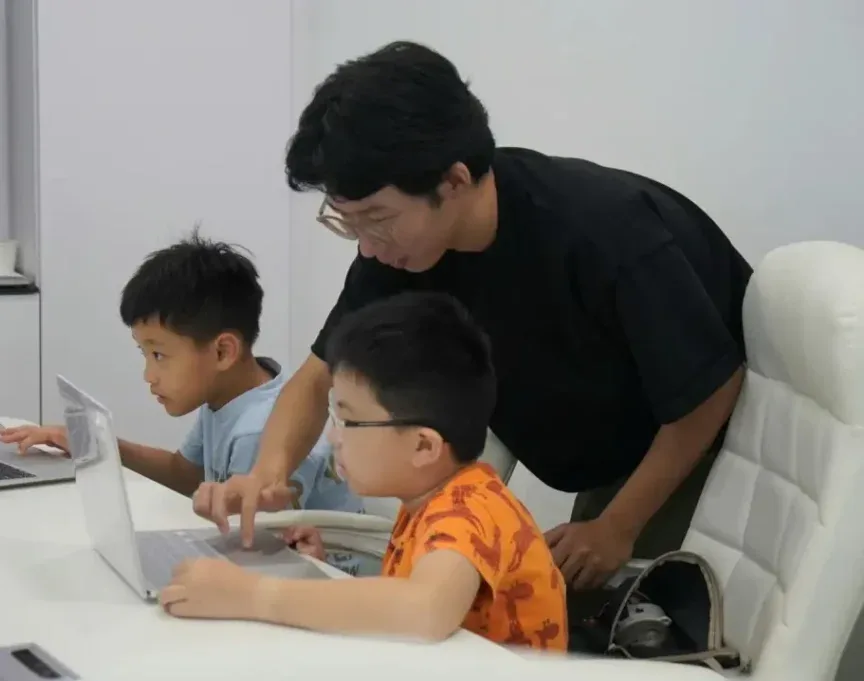
A teacher leans in to guide two boys working on laptops in a coding class
A coding lesson: the teacher guides, the student types

Levels And Ages

  1. Ages 7–9Foundations

    Playful logic and block coding, building the habit of thinking in steps while making things move on screen.

  2. Ages 10–12Builders

    Bigger projects, first text-based code, and the jump from following instructions to designing solutions.

  3. Ages 13–15Creators

    Real programming languages, applied AI concepts and portfolio projects with genuine complexity.

  4. Ages 16–18Specialists

    Advanced tracks for students aiming at competitions, portfolios and university-level readiness.

One structured, level-by-level pathway:

each stage builds on verified skills from the last, so students always work at the edge of their ability, never out of their depth. Block coding first, real Python later.

How A Young Coder's Project Comes Together

  1. Decompose The Problem

    Break a big, messy challenge into small solvable pieces before a single line of code.

  2. Design The Logic

    Flowcharts and pseudo-code first: decide what the program should do before deciding how to type it.

  3. Code Test Debug

    Write it, run it, watch it break, fix it.

  4. Ship And Demo

    Every project ends with something running, shown to the class, explained out loud and saved to the portfolio.

Why It Matters Now

AI tools can write code, which is exactly why understanding code matters more, not less. The students who thrive are the ones who can judge, direct and debug what machines produce: the thinkers, not the typists.

That is what computational thinking trains: decomposition, pattern recognition, abstraction and algorithmic logic. It is a problem-solving habit that transfers to mathematics, science and everyday reasoning.

Our students do not learn to use AI as a shortcut. They learn to build with it, from block coding at seven to training real models in their teens.

What Your Child Learns
  1. Computational Thinking

    Logic, decomposition and pattern recognition: the thinking behind every line of code, taught before the code itself.

  2. Block Coding Foundations

    Visual programming that turns ideas into working projects from the first lesson, with no typing speed required.

  3. Text-Based Programming

    The move to real syntax: writing, reading and debugging programs the way professional developers do.

  4. Applied AI

    How machines learn, through hands-on projects that put AI to work on problems students care about.

  5. Creative Projects

    Games, apps and interactive stories. Every stage ends with something your child built themselves.

  6. Competition Pathways

    Structured preparation for coding challenges and olympiad-style competitions, for students who want to go further.

Inside A Lesson

Every lesson runs on the same four beats.

  1. 01

    The Challenge

    A quick recap, then the day's problem: something real to figure out, not a worksheet to copy.

  2. 02

    Build And Code

    The core of the lesson: hands-on coding, with the teacher guiding rather than typing for them.

  3. 03

    Test And Debug

    Programs meet reality. Finding and fixing their own bugs is where computational thinking is built.

  4. 04

    Show And Tell

    Every child shows what they made, explains one decision and hears what to try next.

What A Child Leaves Each Stage With

Something made, kept and shown, at every level.

  1. Foundations

    A game or interactive story that runs, with a piece of AI-made content inside it.

  2. Builders

    A trained image model working inside their own game, and a website built in web code and published.

  3. Creators

    An AI tool with a web interface, tested by real users, and a project card for every finished project.

  4. Specialists

    A deployed model with an honest model card, and a capstone product demonstrated to an expert audience.

Inside The AI Syllabus

Four Terms Per Band One Showcase Each

Behind the four levels sits a written syllabus in two bands. Each band runs four terms, and every term ends in a Showcase Day where the child presents a finished project to a live audience and takes questions. Presentations grow longer, with harder questions, term by term; the year ends in a Demo Day.

Ages 7–11

Junior Band

  1. DiscoveryWhat AI is, how it learns from examples and where it makes mistakes, alongside first block coding: motion, decisions, variables. Fair AI is a design challenge from the start.
  2. ExplorationTraining a first image model and putting it inside a game; more data makes it smarter; better prompts for generated images; spotting bias in what AI draws.
  3. CreationHow the web works: a website built in web code and published, AI as a coding assistant that is checked rather than trusted, and honesty about what AI made.
  4. FusionThe capstone: a real problem worth solving, a plan, build sprints, user testing, improvement, a project card, and the year-end Demo Day.

Ages 12–18

Senior Band

Hook firstHook first: the older band deploys a real webpage in its first lesson and learns how it works afterwards.

  1. FoundationsThen Python, web code and how neural networks behave; open model hubs and model cards; systematic prompting; a real case of AI harm, reasoned from every side; creative coding.
  2. Applied AIHow large language models work, a first API call, an AI text tool with a web interface, real data, a bias audit, multimodal workflows, AI safety and a personal AI policy, and a user-tested project.
  3. ML EngineeringA machine-learning pipeline end to end: design and collect a dataset, train and iterate, evaluate honestly, write a model card, deploy, build a simple agent, and think about what a tool takes from the skill you were building.
  4. CapstoneA full AI product: scoping, architecture, three build sprints, two rounds of user testing, a three-stakeholder ethics analysis, and a Demo Day to an expert audience.
Three Threads
  • Build

    From block coding to web code, Python and deployed products.

  • AI And Machine Learning

    From AI learns from examples to a trained, evaluated, deployed model.

  • Ethics

    An ethics anchor in every lesson, from fair AI at seven to a stakeholder analysis of the student's own product.

The Difficulty Ladder

Every lesson is tagged with a level from L0 Spark to L5 Capstone, plus the Showcase, and with the thread it deepens. Every term touches all three threads and deepens each one.

How the ladder maps onto Bloom, in The Science
AI With Judgement

A class with AI in its name raises a fair question: is this my child sitting with a chatbot? No. Judgement is part of the syllabus from the first year.

In the junior years children learn that AI learns from examples and makes mistakes, that unfairness comes from the data it learned from, and that content made with AI is disclosed, not passed off.

In their teens they audit a dataset for bias, write an honest model card, set a personal AI-use policy, reason about cognitive debt (what a tool takes from the skill they were building) and run a three-stakeholder ethics analysis of their own product.

One rule holds throughout: students write and explain their own code. The demo question is always the same: 'Walk me through it.'
After 16 The Research Project

From First Line Of Code
To A Working AI Project

The course tracks run to 18, and from 16 something else runs beside them.

It is not another weekly class: it is university-application technology training built on portfolio and competition work, and at its heart is a research project. A student learns AI methods, builds a working demo, writes a report and presents the work, with every milestone published before the project starts. A student who is ready can begin one earlier, from 13, alongside the Create stage.

Five Phases

  • Kickoff

    Diagnosis, topic selection and goal setting.

    Output: a confirmed topic and a plan with milestones.

  • Foundations

    AI and data fundamentals, methods and literature.

    Output: a literature review and a prepared dataset.

  • Research

    Modelling, experiments and iteration with regular reviews.

    Output: a working demo and a mid-point review.

  • Write-Up

    The research report, the presentation deck and a public code repository.

  • Showcase

    The final presentation, and the project archived as a record the student keeps.

  • What The Student Keeps
    • A working AI demo someone else can run
    • A research report: question, method, results, limitations
    • A presentation deck
    • A public code repository with a readable README
    • The showcase talk, given without notes

    The limitations section matters more than students expect. Knowing exactly where a model fails, and saying so, reads as maturity, not weakness.

A class and an individual project, in that order:

cohort foundations first, then each student's own question with a mentor's guidance. The demo they present at the end is theirs: the same milestones, a personal project.

  • Inside A Session

    Every session runs on the same five beats.

    1. 01

      Stand-Up

      What moved since last time, and what is blocked.

    2. 02

      Concept

      The method this session needs, taught before it is used.

    3. 03

      Build And Experiment

      The long middle: building and testing, with the mentor circulating.

    4. 04

      Review

      Results on screen; decisions for the next sprint.

    5. 05

      Repository And Notebook

      Both updated before anyone leaves.

  • Choosing A First Topic
    • Can You Get The Data

      Public datasets, data a school can collect, or photographs a student can take themselves all pass this test. 'I will find it later' does not.

    • Can You Finish

      A finished small project beats an unfinished ambitious one, every time, in every application. Scope for a working demo early, so there is time to break it, fix it and explain it.

    • Do You Care

      A student spends months with the question. Projects rooted in a real interest (a sport, a city, a hobby) survive the boring weeks. Borrowed topics rarely do.

    Directions That Work

    • Image classification with a purpose: recyclable against contaminated waste, plant disease from leaf photos
    • Text analysis close to home: sentiment in local reviews, the readability of school materials
    • Sound: classifying urban noise, spotting practice mistakes in music recordings
    • Prediction with public data: bus delays, the weather's effect on canteen queues
    • Accessibility: sign-language letters, image descriptions for low-vision users

    Every good direction pairs a standard technique with a personal question: the technique proves skill, the question proves thinking. An experienced student takes on a more ambitious one: a classifier trained on a self-collected dataset, a search tool over a personal archive, or a generative system with its own evaluation. The milestones stay the same; the ceiling moves.

  • The Standard
    • Students write and explain their own code. There are no ghost-written projects: the demo-day question is always the same, 'Walk me through it.' Our students can.
    • A question that can fail, a method a stranger could repeat and honest limitations are what turn a science-fair project into research. Keep the showmanship; add the rigour.
    • Publication is never promised. The goal is a working project a student can explain, demo and build on.

Where It Goes

The project becomes part of the portfolio and can extend into competitions, further research or university applications. The first step is a free consultation about your child's goals.

Book a Free Consultation

How The Portfolio Is Built

What A Panel Reads
And How It Gets Built

A technology portfolio, for university applications in engineering and computing or for Direct School Admission (DSA) in Singapore, is not a folder of certificates.

It is documented work, built over years, that a student can explain in person.

How The Portfolio Is Built

Four Pillars

  • Work Judged Outside

    Work that has faced judges from outside the classroom, at events organised by others.

  • Documented Projects

    A design log and write-ups for every project: the problem, the process, the iterations, the result.

  • Multi-Year Progression

    Season after season, the record shows growth over years, not one good day.

  • Interview Readiness

    Practice presenting the work in person and explaining each decision with genuine ownership.

What Is In It

  • A project card for every finished project
  • Dated pages from the design log
  • A deployed or working thing: a website, a model, a machine
  • A recording of the demo

Six Steps

  1. Consultation And AssessmentYour child's current level, mapped against the application timeline, and a recommended route.
  2. A Customised Learning PlanA plan built around the starting point, the target and the seasons remaining.
  3. Progressive Skill BuildingStructured progression from first builds to competition-grade robotics and coding.
  4. Portfolio DevelopmentProjects and the design log curated into a portfolio a panel can read.
  5. Interview PreparationPresenting the work in person, and answering the questions a panel asks.
  6. Application GuidanceSchool or university selection, and support through the application window.

In Singapore

Robotics and computing are talent areas under Direct School Admission (DSA). For secondary school, the technology portfolio for DSA is usually built over the two to three years before Primary 6; the same documented work can carry on towards junior college admission and, after 16, into the portfolio for university.

The DSA year, month by month, on the Art Programmes page

Where It Leads

A Curriculum Is Only Worth
What A Child Can Show For It

Method matters, but it is not what a selection panel asks to see, and it is not what a child takes away.

What they take away is a body of work: built over years, judged by people outside the classroom, and theirs to defend.

Four stages, one growing body of work.

Each stage builds on everything below it.

  1. The ThinkingAges 4–18

    Five habits of mind, built through one project-based curriculum that returns to the same ideas at greater depth at every stage.

    • Habits of mind
    • Finished projects
  2. The RecordFrom Age 8 · When Ready

    A judge who has never met your child, and does not know our name, scores the work on its merits.

    • Work judged by outside judges
    • Work under a deadline
    How competition training works
  3. The PortfolioSchool Selection And Beyond

    Documented projects, progress across several years and a practised interview. In Singapore, this is the body of work behind a Direct School Admission (DSA) application; after 16, it becomes a technology portfolio for university.

    • Multi-year progress
    • A practised interview
  4. University AdmissionsAfter 16

    Portfolio and competition work shaped into university applications, with guidance from the OpenKids Future Pathways team. It starts with a free consultation about your child's goals.

    • A university-ready portfolio
    • Guidance on the applications

The Admissions Step

How The Guidance Works

Four steps with the OpenKids Future Pathways team, built on the projects, records and competition work a student has already made.

  1. Strategy

    School research, a review of the student's profile and an application roadmap matched to their work and goals. Schools are chosen as a course to attend, not a ranking to chase.

  2. Evidence

    Curating the technology portfolio and filling its gaps: which projects to document in full, which competitions to enter, what to build next. The design log becomes the portfolio's process pages.

  3. Story

    Personal statements and essays in the student's own voice: a specific moment, the project that proves the interest and that they can explain line by line, and the link to the course.

  4. Interview

    Mock interviews and portfolio walkthroughs, practised until the student can present their work with confidence.

In Singapore at 16, the same evidence folder serves both DSA-JC for junior college and the polytechnic Early Admissions Exercise (EAE). Outside Singapore, it serves school and university applications.

We plan, structure, question and edit; the sentences are the student's own. No one can promise an offer, and the work starts a year or more before applications, not in the final semester.

  • What A Free Consultation Covers
    1. A conversation about your child: age, interests, existing work and goals, not a sales script.

    2. An honest read on where things stand, even when the answer is not yet.

    3. A written plan for the portfolio and the applications, with every fee in writing before you decide.

    What A Family Leaves With

    • An application roadmap and a school strategy
    • A curated portfolio
    • Statements and essays in the student's own voice
    • Interview practice before it counts
    • Deadlines and paperwork tracked

    A child who takes both programmes leaves with one hybrid portfolio, not two: a few visual works beside one or two working projects, joined by a single line of curiosity.

Every stage hands its evidence to the next: the folder kept at six shows where to point at seven, and the records at twelve are the raw material at thirteen.

Future Pathways for both programmes
No one can guarantee admission.

What a student carries into the room is the work itself.

Book a Free Consultation

Ways To Learn

How A Child Attends

Every format runs at every campus.

The weekly class is the core; the rest widen it. The campus confirms what is on when it replies.

  • Weekly Classes

    The core: term-time robotics, AI coding and 3D design at every campus, placed by level and readiness.

  • Holiday Camps

    Intensive builds and themed programmes when school is out: one problem followed through to something that works.

  • Competition Training In Seasons

    Season-based training for teams headed to robotics tournaments, coding olympiads and design challenges, from age 8 by readiness, alongside the weekly class.

    How competition training works
  • Events And Workshops

    Community showcases, demo days and school-holiday workshops where machines and projects meet an audience.

  • Study Journeys

    Cross-border learning journeys: city immersions, university and lab visits, innovation camps and company visits, with a project that comes back into class.

Your First Visit

How A First Class Runs

  1. Say Hello

    Message your nearest campus on WhatsApp. It replies within 48 hours with trial times, and if it does not, HQ answers the same day.

  2. Meet The Teacher

    Your child is welcomed by the teacher who leads the class, the same teacher who talks you through what comes next.

  3. A Real Lesson

    Your child joins a full lesson with children near their age, not a demonstration.

  4. A Gentle Assessment

    During the lesson the teacher sees where your child is, so they are placed by readiness, not by birthday alone.

  5. Your Learning Plan

    Afterwards the teacher walks you through a learning plan, with every fee shown in writing before you decide.

  • Inside The First Class
    1. Mission Briefing

      The day's challenge is set: a machine to design and a problem the build must solve.

    2. Design And Build

      Structures, gears and mechanisms take shape, following the engineering design process.

    3. Test And Improve

      The build runs, and usually fails first. Measure, adjust, run again: iteration is the lesson.

    4. Demo

      Machines face the challenge in front of the class, and the builders explain what they changed and why.

  • Before You Book

    No fee is due for the trial class.

    The Fee
    The first trial class is free, and every fee is in writing before you decide.
    The Teachers
    Every teacher certifies on the curriculum, level by level, before their first class, and one central curriculum team keeps every campus teaching the same programme.
    The Reply
    Campuses reply within 48 hours; HQ WhatsApp answers the same day, seven days a week; support@openkids.co replies within one business day; Global Partner enquiries are reviewed within 5 business days.
    The Record
    Parents follow their child's learning record on MagiBox; a record that moves with the family to any campus is where the system is heading.

Questions

Questions Parents Ask

  • What age can my child start a tech programme?

    Robotics starts at age 4 with big-brick machines. AI Coding and 3D Design start at 7. The three tracks run to 18, and from 16 students can add university-application technology training built on portfolio and competition work. Competition training opens from age 8 for students who are ready.

    Book a Free Trial
  • Does my child need coding experience to join?

    No. Every student starts with a free trial class, where the teacher sees where they are and places them at the right level. Complete beginners start from block-based foundations; experienced coders are placed into text-based or applied AI stages. Children aged 4 to 6 who want to code begin with robotics foundations first. No coding window closes in childhood: readiness is appetite, and it shows when a child modifies things without being asked, asks 'How does it know?' and finishes small things.

  • What will my child actually build?

    Working projects at every stage: games, apps, interactive stories and AI experiments in AI Coding; objects designed, modelled and 3D printed in 3D Design; machines that move, sense and decide in Robotics. Progress is always something you can see and try.

  • How does competition training work?

    Competition training opens from age 8, and students join when they are ready. They train for robotics tournaments, coding olympiads, science and engineering fairs, design challenges and hackathons, and learn team strategy, match analysis and how to keep a design log. Their work is judged by people who have never met them.

  • Do the three tracks connect?

    Yes. AI Coding, 3D Design and Robotics share one curriculum spine built on five STEAM habits of mind, so skills stack across the tracks and a child can move between them as their interests grow.

    The Three Tracks Side By Side
  • What happens after 16?

    The course tracks run on to 18, and from 16 students also take university-application technology training: portfolio and competition work shaped for university applications, with a research project at its heart. In Singapore, the same documented work can support a Direct School Admission (DSA) portfolio earlier on. No one can guarantee admission; a free consultation is the first step.

    Book a Free Consultation
More Questions12 More
  • What is the curriculum built on?

    Three things, all credited on the page: project-based learning that starts from a real problem; Bloom's revised taxonomy, so every lesson aims above recall; and Bruner's spiral, so key ideas return deeper at every stage. Together they build five STEAM habits of mind: think like a scientist, plan like a designer, solve like an engineer, imagine like an artist, reason like a mathematician.

  • What does project-based learning mean in practice?

    Every module starts from a real problem to define, design for, build, test and improve, rather than a worksheet to copy. A project has a real audience at the end, so the child presents the work, explains one decision and hears what to try next. The teacher's job is to design the problem, scaffold the inquiry and coach the revision.

  • Is this just more screen time?

    Consuming and creating both happen on screens, and they have almost nothing else in common. An hour of building is not an hour of scrolling: one drains attention, the other trains it. Every lesson here ends with something made. Ask to see the build, not the timer; a teenager who makes things on screens has a portfolio forming.

  • Is robotics useful if my child will not study engineering?

    Yes. The transferable part is the working style: debugging calmly, dividing work in a team and explaining decisions under pressure. Those show up later in design critiques, research projects and interviews, whatever the degree says.

  • Does my child need to be good at drawing for 3D Design?

    No. 3D design is about ideas, observation and iteration; the tools handle the geometry. A child who can look closely at a problem and try a second version has what the track needs.

  • Will my child get to 3D print their work?

    Yes. Turning digital models into physical objects is a core part of the track, including materials, print preparation and the real constraints of fabrication: scale, supports, walls too thin, joints too tight.

  • What will my child build with in Robotics?

    Age-appropriate build platforms, scaled by level: larger-format kits for the youngest builders, then metal structures, motors and sensors as the engineering gets harder. The platform changes with the student, not the other way round.

  • What is a first competition actually like?

    Busy, loud and more forgiving than most parents expect: every team has repairs to make, and getting a robot running again between rounds is part of the test. Cheer from the stands rather than coach from them; the Compete section walks you through the day and the one question worth asking afterwards.

    Competition Day For Parents
  • How will I see progress?

    In finished work, shown to other people. AI Coding closes each term with a Showcase Day and the year with a Demo Day; a robot is tried against the class challenge, with its design log explaining every change; and a 3D print either does its job or it does not.

    The Three Tracks
  • Who teaches?

    The teacher who leads your child's class, the same teacher who talks you through the learning plan afterwards. They guide rather than do the work: they pose the problem, ask the next question and leave the making to the student.

    The Teacher Standard
  • Is the trial class really free?

    Yes. There is no fee for the trial class. Your child joins a real lesson, the teacher sees where they are, and afterwards you are walked through a learning plan.

    How A First Class Runs
  • How much are the classes?

    Prices are not published on this site. Fees are set out in writing after the trial class, together with the learning plan, so you see each one before you decide anything.

    How A First Class Runs

Campuses

Where It Runs

OpenKids Tech Programmes run at the campuses below, all on one curriculum.

Each campus answers on WhatsApp within 48 hours.

  • Singapore

    Campuses: Central, East
    • Orchard · The Heeren
    • Novena · United Square
    • City Hall · Funan
    • Woodleigh
    • Pasir Ris
    • Bishan · Junction 8
    See these campuses
  • Malaysia

    Campuses
    • Kuala Lumpur · Pavilion Damansara
    See these campuses

Keep Reading

Read Before The First Class

  • Tech Programmes

    What To Look For In A Coding Class At 7

    Seven is a sensible age to start coding, provided the class fits how a seven-year-old thinks. What the research, Singapore's screen-use guidance and what schools already teach suggest you look for, and what to ask at a trial class.

  • Tech Programmes

    What Children Can Really Learn About AI

    Classes labelled AI are everywhere, and the labels promise a lot. What children can genuinely learn about artificial intelligence at each age, what Singapore's schools already teach, and how to tell a real class from time spent with a chatbot.

  • Tech Programmes

    What A Competition Season Teaches

    OpenKids students compete at the world's top technology competitions. The stage lasts a few days; the season behind it takes months of design, testing and teamwork. This is what that season is made of, and what students carry away from it.

  • Tech Programmes

    Top Franchises Under 10k: What $10,000 Actually Gets You

    Every top-franchises-under-10k list skips the same test: does any verifiable brand actually cost under $10,000? Here is what the published figures support, the honest gap in the evidence, and the workable path inside the budget.

Pick A Campus

Region

Campus

The message opens with your campus filled in; add your child's age.

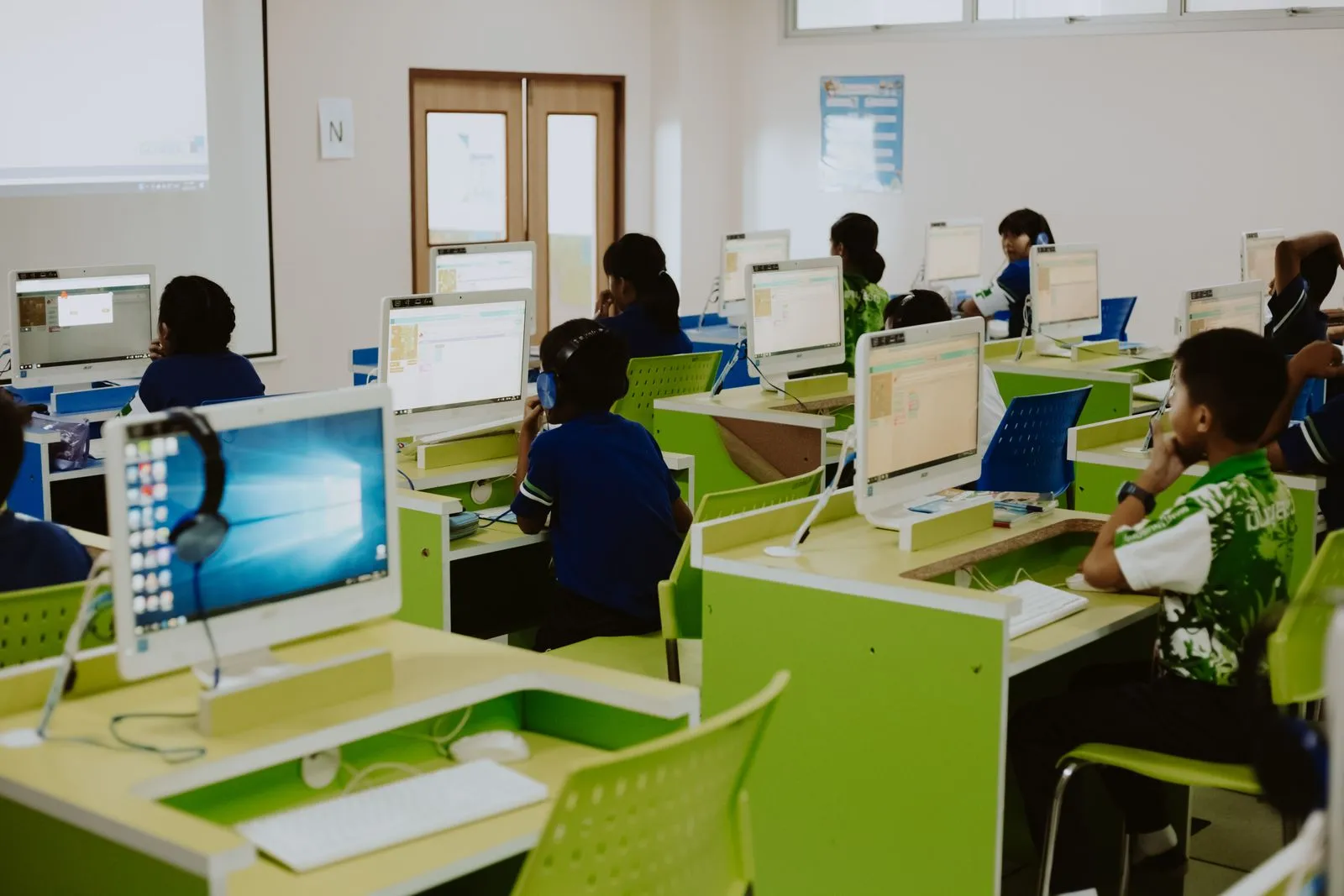
Students coding side by side in a computer lab

Find A Class Near You

For Families

Message your nearest campus on WhatsApp. The first trial class is free.

Book a Free Trial
For Global Partners

Art and Tech Programmes proven in Singapore and one operating system behind them, now open to Global Partners worldwide. The first conversation is confidential and carries no obligation.

Become a Global Partner
WhatsApp +65 8990 1988
Book a Free Trial